
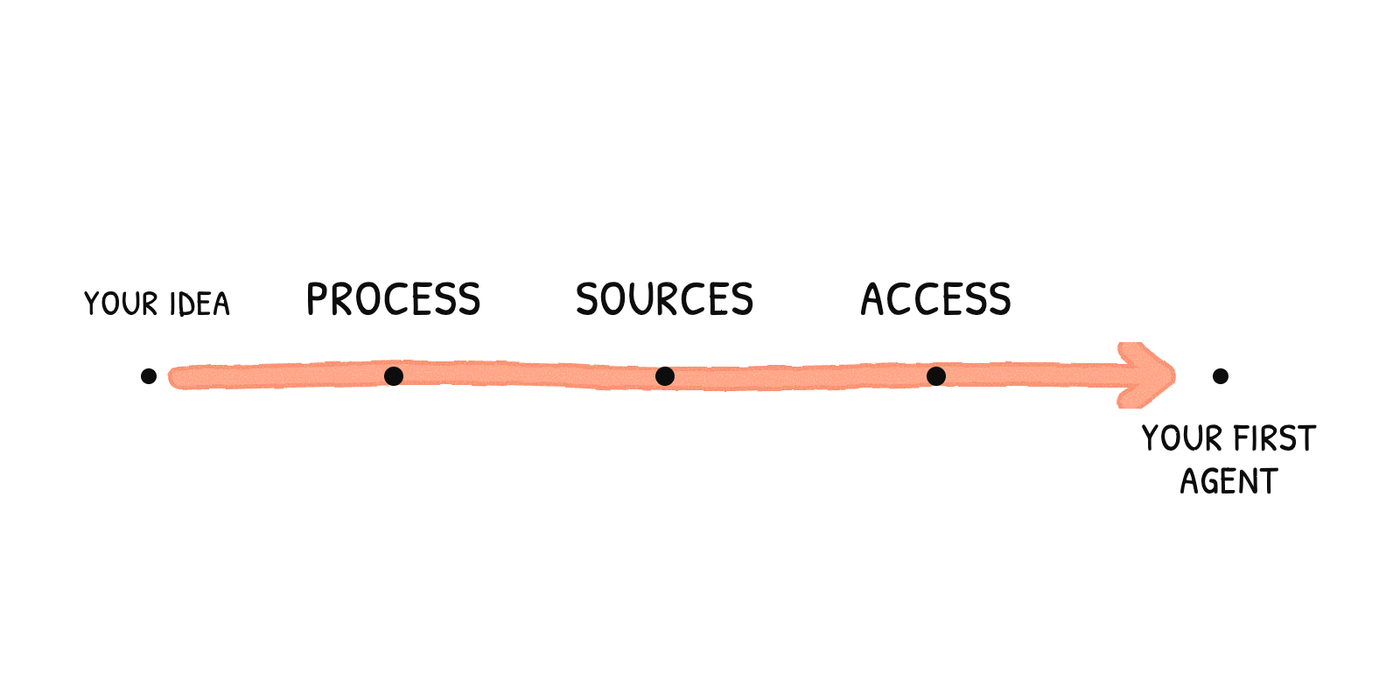
Before you set up your first AI agent in Notion, define what work it will do, where it should get its information, and what might change during the process.
Imagine you need to prepare a follow-up after every sales meeting. The meeting notes are in Notion, the contact details live in two different databases, and the proposal you use as a reference has changed. However good the agent is, we can all agree that the email it writes will very likely contain inaccurate information that you'll need to fix later.
So what am I getting at?
Simple: even though the agent can make mistakes and hallucinate, most of the time the problem comes from a flaw in the context the agent can access.
Messy, duplicated, and often outdated data will keep you from getting the most out of your agent.
Heads up: you don't need to clean up all of your company's data to get started (although we do recommend it, and we can help with that). What you do need is to prepare the part of the system that your first agent will use. The guide to organizing your company's data for AI we wrote earlier explains how to do that groundwork.
1. Choose a process you can verify
If you ask an agent to “help with sales,” you'll never know whether it did a good job. “Draft a follow-up from a finished meeting and link it to the right contact” is a different story.
Our advice: start with a task you know very well, so you can spot a mistake right away. In the sales example, we would define it like this:
- Input: a finished meeting note linked to a contact.
- Sources: that note and the current sales data. If something is missing, it doesn't make it up.
- Output: a draft with the next steps, saved where it belongs.
- Review: a person reads it and decides whether to send it.
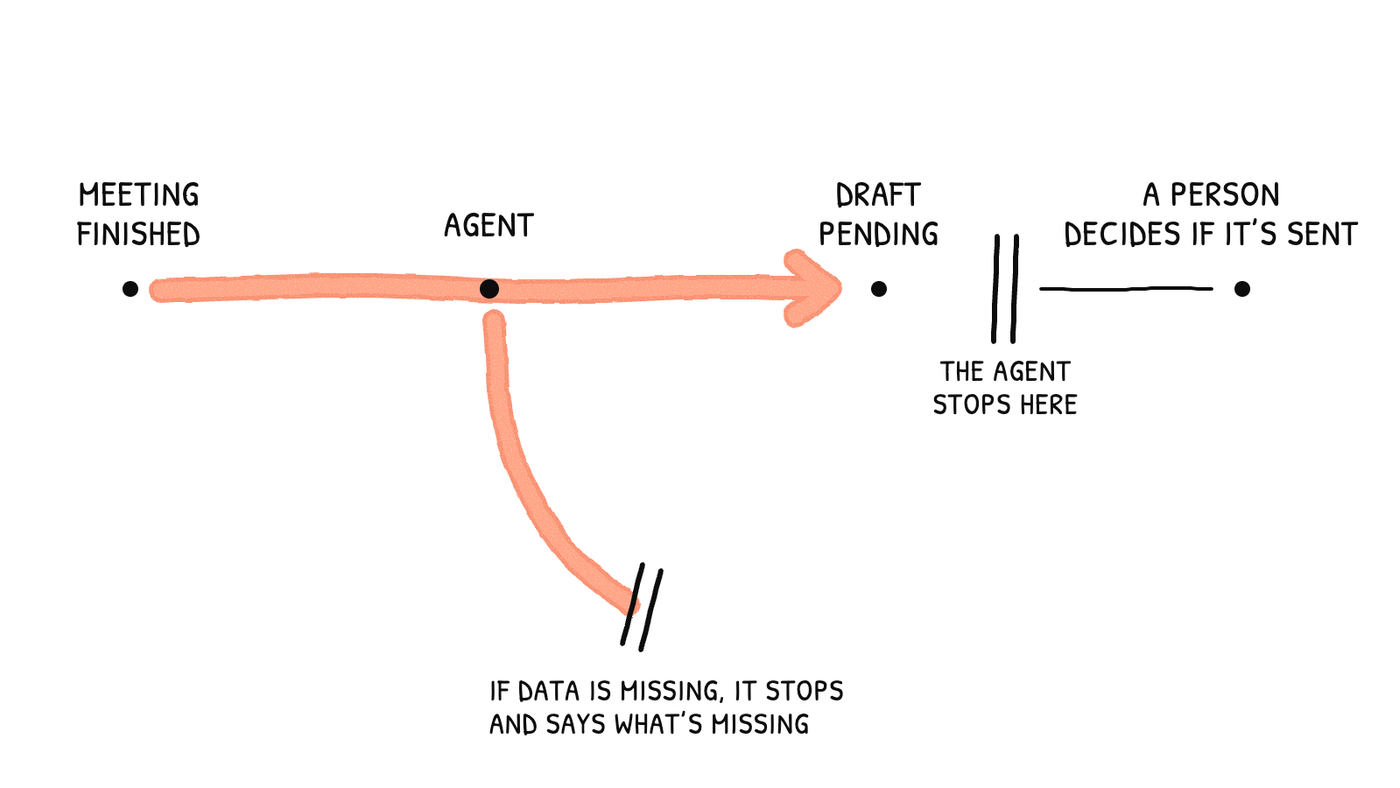
And if the task requires deciding on a sales strategy or negotiating terms each time, the agent can prepare the information, but the decision is still yours.
Before moving on to the next point, check that you can explain what the process receives, what it delivers, and what would make you reject the result.
2. Decide whether you need an agent, an automation, or a Worker
When people talk about AI in Notion, it's easy to lump everything together. But an automation, a Custom Agent, and a Worker don't do the same thing, and not every task needs an agent.
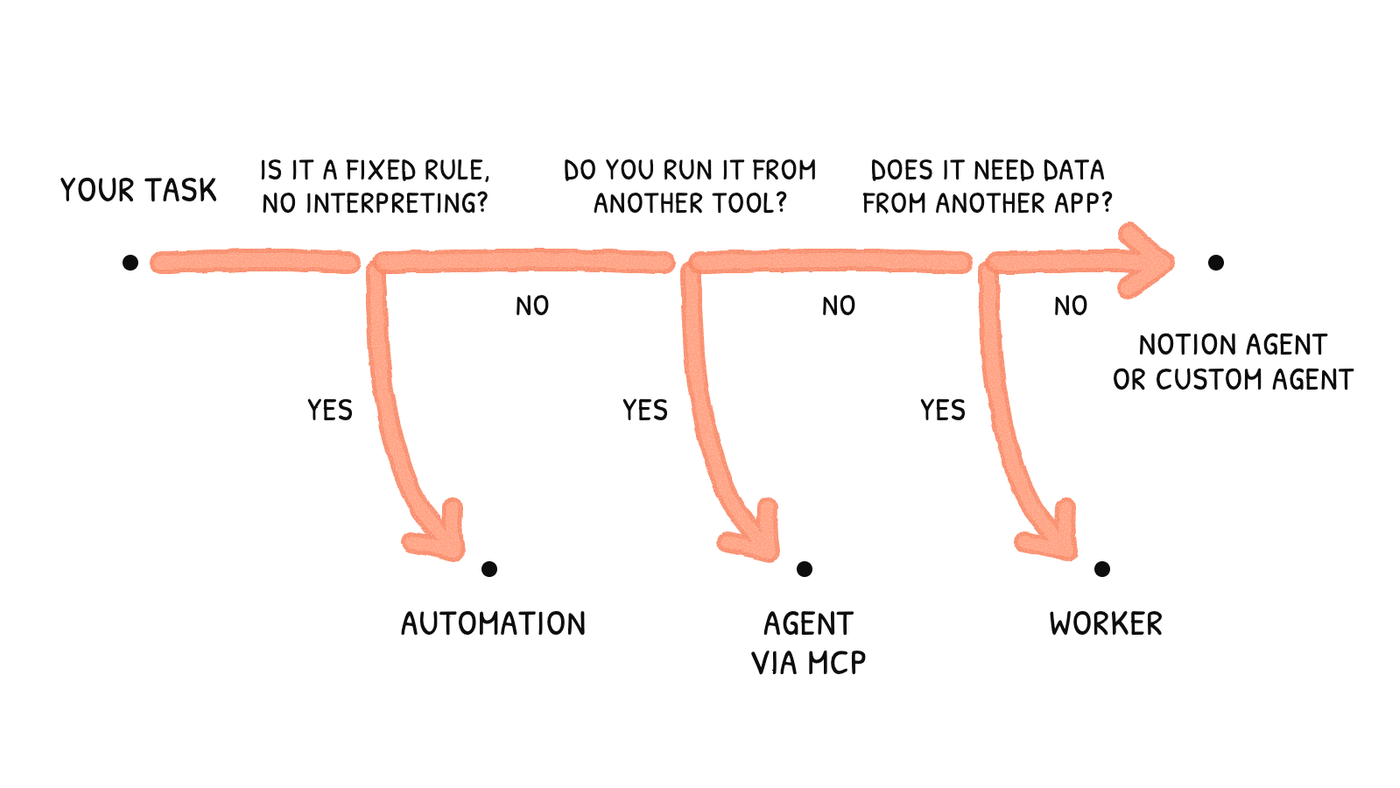
Our rule is fairly simple: if the task doesn't require interpreting content, we wouldn't use an agent for it.
- Notion Agent: Work you start yourself from the chat and supervise. It uses your permissions.
- Native automation: A fixed rule: a trigger and actions, with no interpretation involved.
- Custom Agent: A task that requires interpreting content and runs on its own, triggered by an event or on a schedule. It has its own permissions.
- Worker: Code that Notion hosts. It syncs external data, provides tools to an agent, or receives webhooks. It doesn't always involve AI.
- External agent via MCP: You work from another AI tool and need to read or write in Notion.
A Skill is none of the above: it's a set of reusable instructions that any of your agents can use.
If you're still defining the task, start with supervised runs. Automating something whose exceptions you don't know yet is the surest way to have no idea why it fails.
Before moving on, make sure you're clear on which component solves the task and why the others aren't needed.
3. Prepare the sources it will use
Don't give it access to the entire workspace “just in case.” Make a list of the pages and databases that the process needs and, for each one, check:
- Which information is current and who maintains it.
- What the properties and statuses it will read mean.
- How records relate to each other (meeting, contact, company).
- What it does if it finds two conflicting versions or an empty relation.
Two similar databases aren't always a mistake. We keep outbound leads separate from our main CRM on purpose: a lead moves into the CRM once the discovery call is scheduled or has already taken place (we explain this in the data organization guide). The real problem is when nobody knows what goes where.
What about old versions? Take them out of the agent's scope. Writing “obsolete” in the title helps people, but it doesn't guarantee the agent will ignore it. The only way to know is to check which source it actually uses.
One last detail: finding a document is one thing, and counting data is another. Finding the expense policy has nothing to do with adding up the deals won in a quarter. The second task requires the right database and filters, and you should check the number. A very convincing explanation doesn't mean it's correct.
If someone else on the team can find those same sources without asking you, you can move on.
4. Set up access and check who can use the agent
If you only take one point from this article, make it this one.
A Custom Agent does not inherit the permissions of the person who asks it a question. It has its own. So someone can get information through the agent even if they don't have access to the source pages. This isn't a flaw: it's documented by Notion.
Say you have an agent with access to internal budgets and you share it with the whole team. You can hide those pages from one person, but the agent can still tell them what's in them.
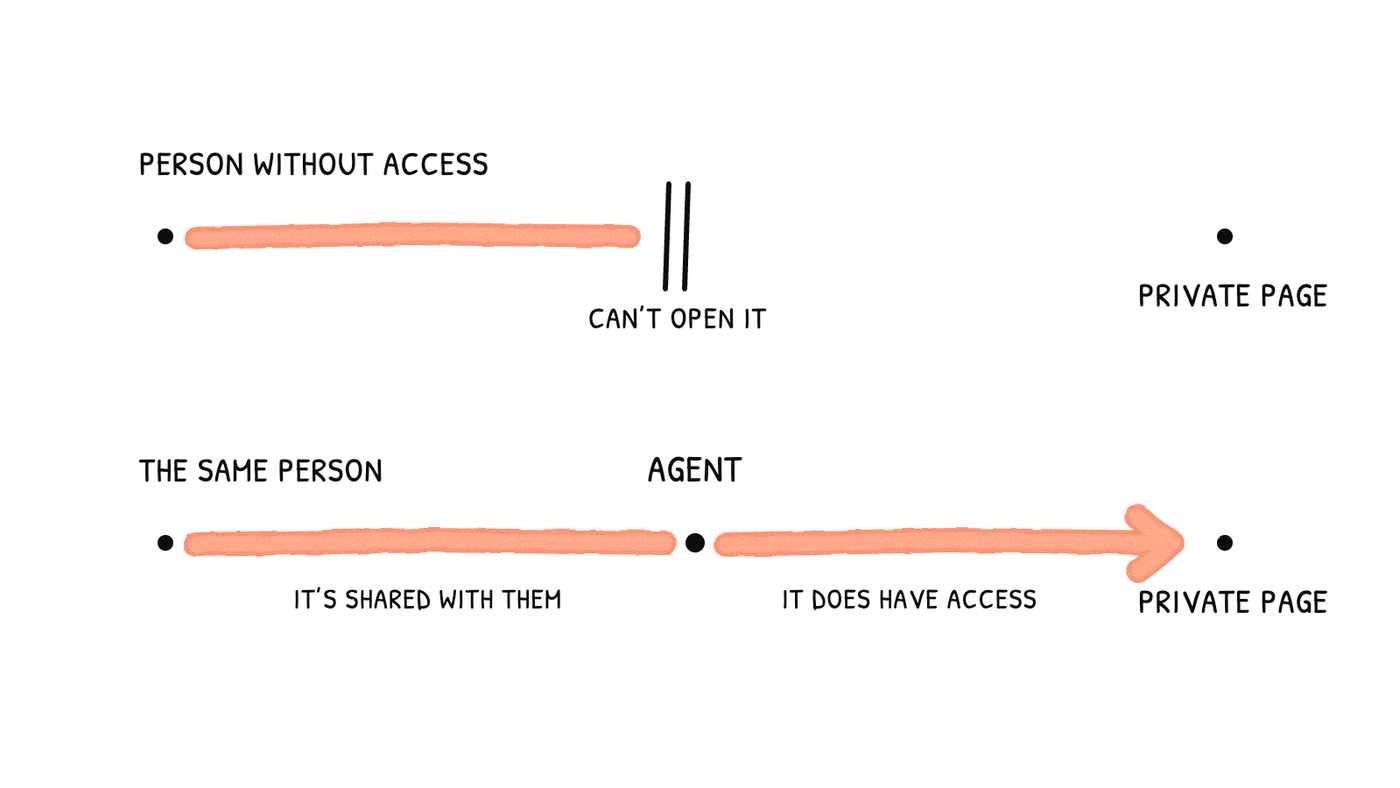
That's why you need to check two things:
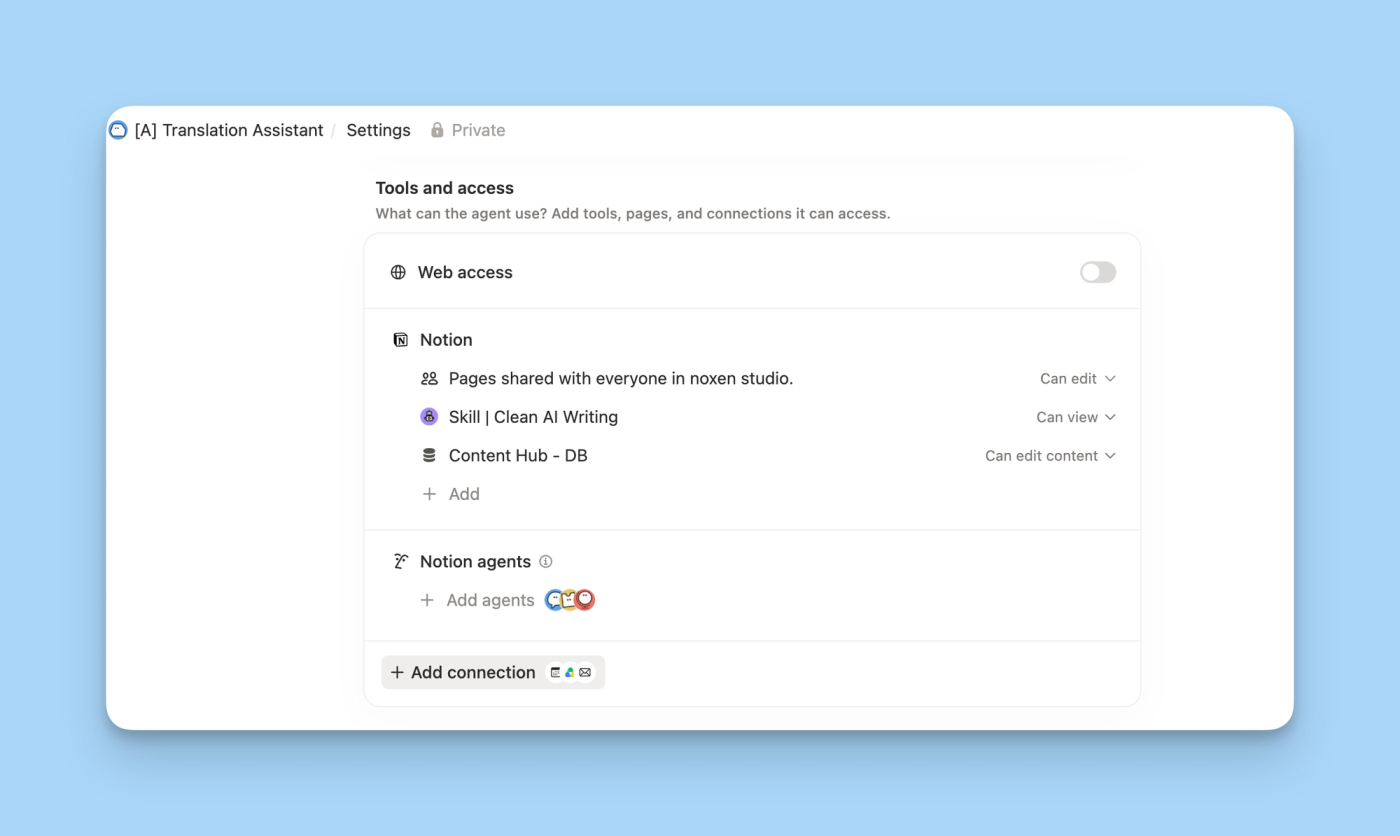
- What the agent can change. This is set in
Tools and Access. The agent also appears in theSharemenu of every page it can access, and the page owner can remove it from there. - Who can talk to it. In other words, who you share it with.
In our example, the agent reads the meeting and prepares a draft, but it doesn't need to be able to change the proposal amount. That's what column-level permissions are for.
And test it with the real profile of the person who will use it. As an admin, you can see everything, so that test tells you nothing.
If you can say, without opening the settings, what the agent can change and who can talk to it, you can move on.
5. Write down what it can do and where it must stop
“Don't make mistakes” is not an instruction. “If you can't find a current proposal for this contact, leave the follow-up pending and explain what's missing” is.
In the sales example, we would set three limits: it must not make up prices, commitments, or dates; it must not send the email; and it must check whether a draft already exists before creating another one. This last limit matters more than it seems, because in automated processes it's very common for a second run to repeat the work of the first.
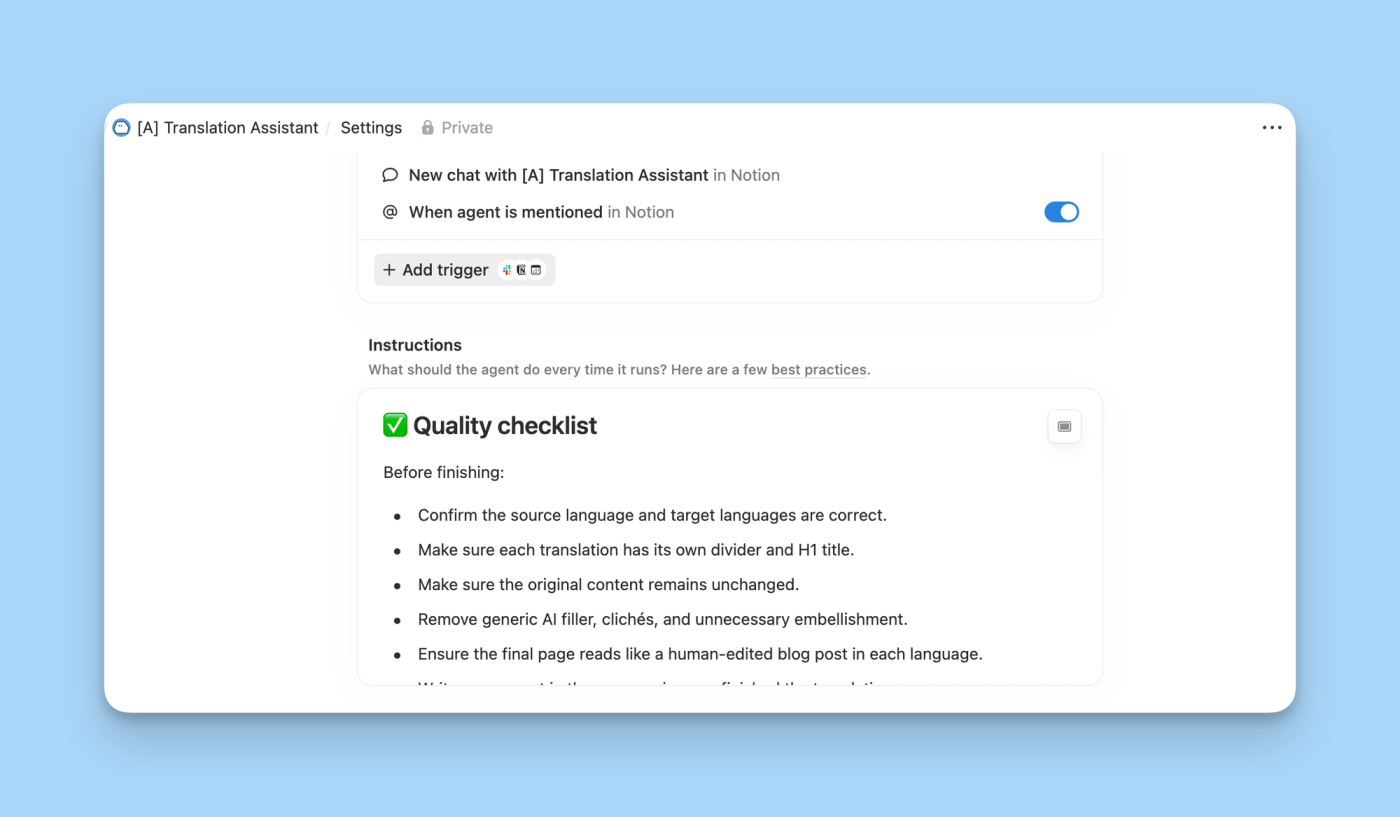
Also decide where the draft will be saved and who reviews it. A warning at the end of a response is of little use if the agent has already sent the message.
At noxen, we have a shared standards page with the sources of truth and the rules that all our agents must follow (we explain it in the Notion Skills article). For your first agent, we recommend the same thing: separate the general rules from the instructions for its specific work.
If you can't describe a limit as something you can check in a test, it isn't written yet.
6. Test the exceptions before turning on triggers
A demo that works doesn't mean much. Your agent has to work on any ordinary Tuesday. For the sales follow-up, we would test these cases:
- Complete meeting: it prepares the draft and links it correctly.
- Meeting without a contact: it says what's missing and doesn't assign one just because the name looks similar.
- Two different proposals: it applies your rule for which one is current, or it stops.
- The same meeting again: it doesn't create a second follow-up.
- You ask it to send the email or change a price: it refuses.
- A colleague who shouldn't see sales data: access has to block it. Relying on them not to ask isn't enough. (Guests can't ask questions to a Custom Agent; the risk lies with members.)
Write down the expected result for each case, and check which records it used and what it changed. If you change the instructions or permissions, run all six again. It's the only way to know you haven't broken anything that already worked. Only then should you set up the trigger, at the moment the task is actually ready, such as when a meeting is marked as finished.
When can you move on? When the agent produces something the person in charge can approve. “It finished without errors” is not enough.
7. Check usage and decide who maintains it
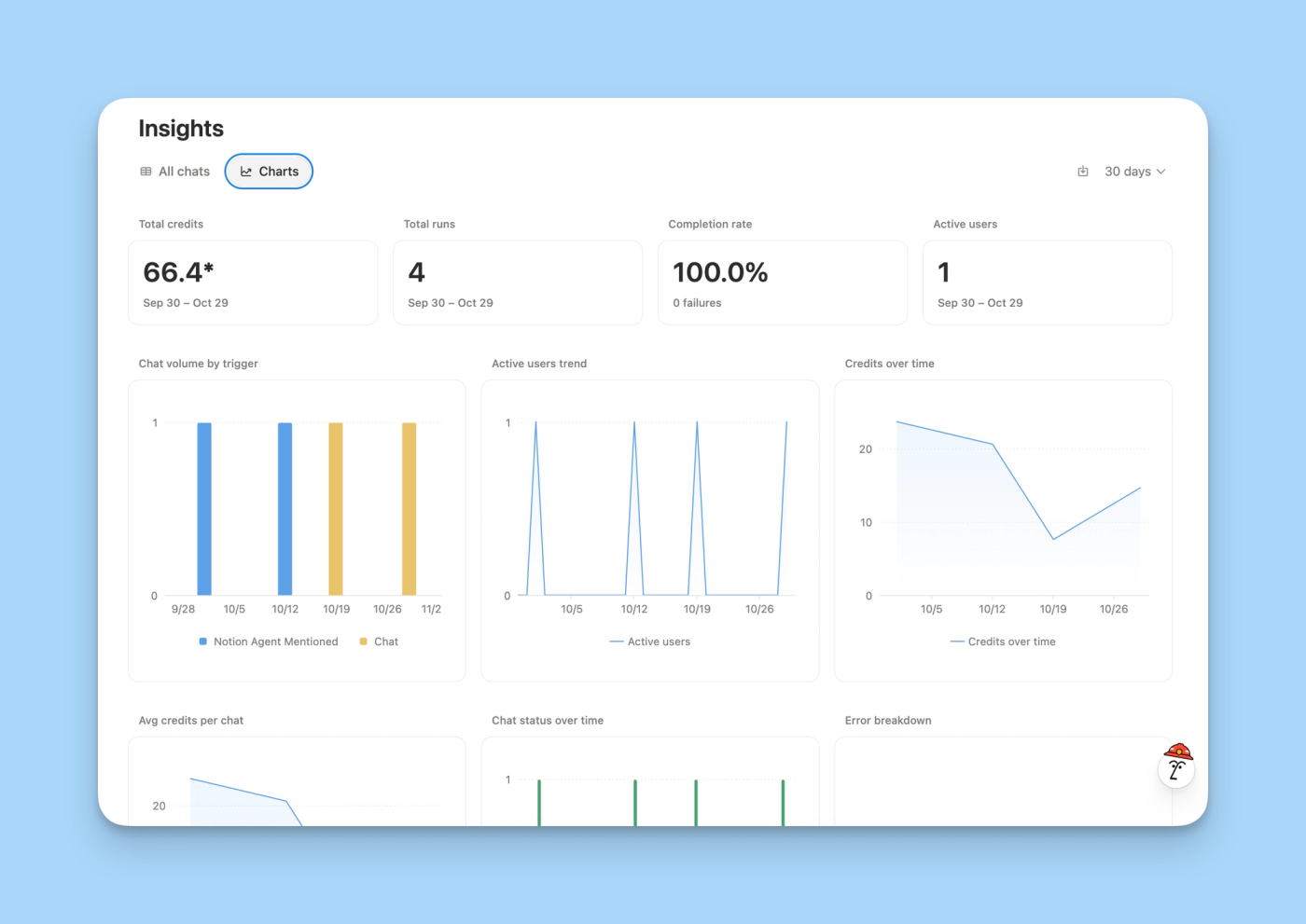
Custom Agents require a Business or Enterprise plan. Beyond that, the question isn't how many agents you have, but how much they consume in your actual process and where that consumption comes from.
Here's a quick summary, because the credit system has just changed:
- By default, a Custom Agent uses its owner's Select credits, even if the whole team uses it.
- If those run out and the workspace has no Notion credits, the agent is paused.
- An admin can fund it with workspace credits and set a budget for it.
- It applies to new workspaces from October 19, 2026, and to existing ones from November 2. Agents created before then keep using the shared credits.
You'll find the details in the official Notion guide and in our article on Notion AI pricing changes.
Workers are billed separately: during the beta they're free, and Notion gives a reference price of about $0.0023 per execution for when billing starts (Worker pricing, accessed October 29, 2026). Careful: if your agent calls three tools from a Worker, that's three executions.
Our recommendation: set a spending limit and compare what the agent consumes with an approved result. If you have to rewrite half the draft, it doesn't matter that it used few credits.
And assign one person to maintain it. When the process or the pricing source changes, someone has to update the agent and repeat the tests.
Frequently asked questions about AI agents in Notion
Do I have to clean up the whole workspace before starting?
No. It's enough to prepare the sources and access for the process you chose. Start small and expand once the tests pass.
Why doesn't the agent find a page that I can open?
Because a Custom Agent has its own access. Give it access to that page in Tools and Access. Putting the link in the instructions isn't enough.
Can a Custom Agent show me information I can't see?
Yes, if the agent has access and you're allowed to use it. Notion documents this behavior, which is why you need to check carefully who you share it with.
Can it work with apps outside Notion?
Yes, through the connections it has enabled. Before letting it write in another app, check which account it uses and what permissions that account has.
How we can help you at noxen studio
You can do all of this with your team. If you'd rather do it with us, we go through your Notion and the processes you want to delegate, decide what needs an agent and what doesn't, and define the instructions and tests before expanding anything.
And if you've already tried an agent and don't trust the results, we can start there. Tell us what you need in the form to book a discovery call and we'll work out where to begin.