
Notion Skills are a key feature of Notion's AI ecosystem. They let you turn repeatable processes into instructions that the Notion Agent can apply on demand, or automatically when relevant if you've set it up that way.
The main difference between a Custom Agent and using a Skill with your personal Notion agent, though not the only one, is in their design: a Skill is for reusing instructions, while a Custom Agent has its own instructions, permissions, connections, and triggers, and is built to run work autonomously.
That said, you can also use Skills inside Custom Agents as long as you give the agent access to the relevant page. That's why it's worth taking the time to create them, whether you use them with your personal agent or incorporate them into a Custom Agent.
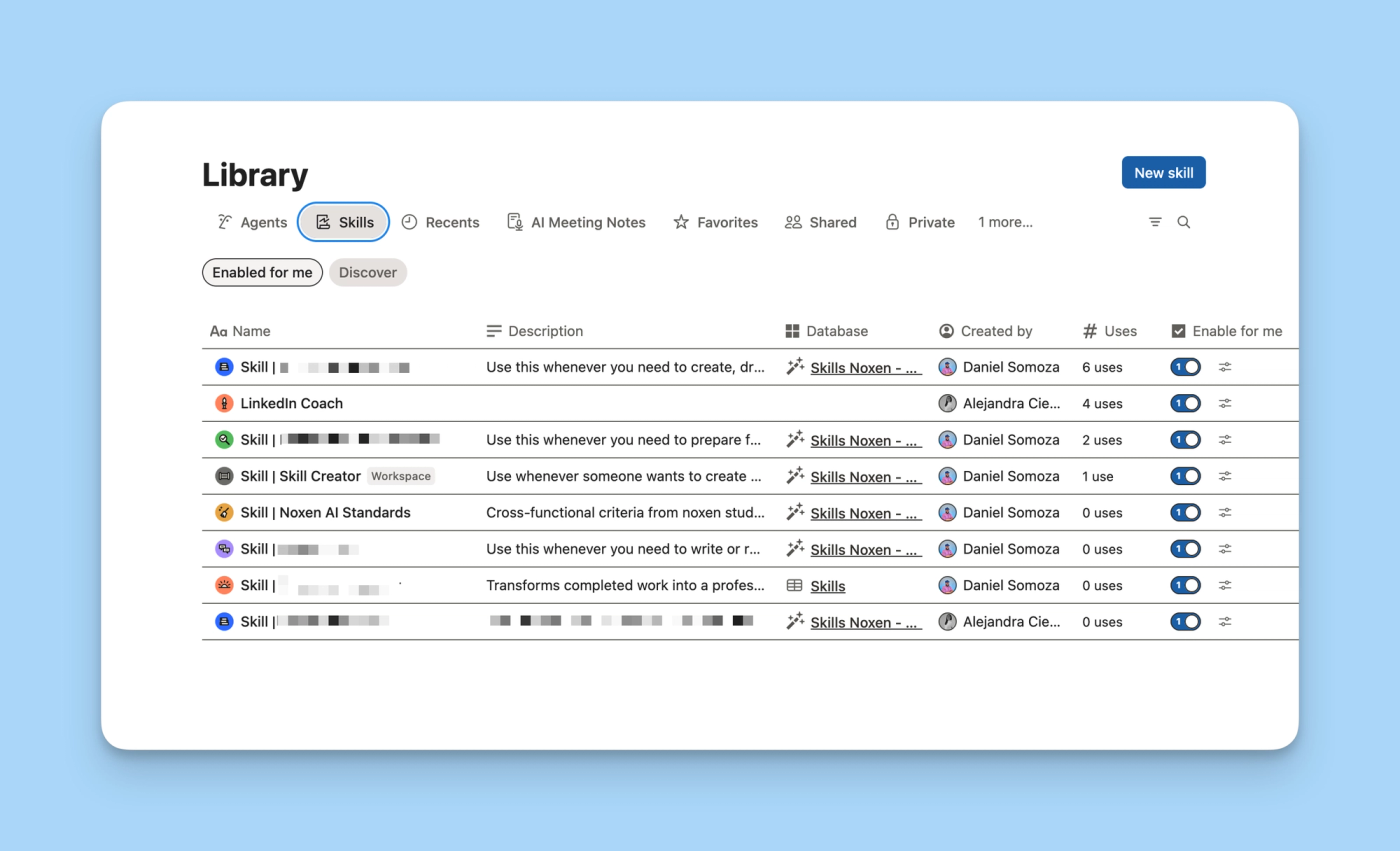
What is a Notion Skill?
To put it simply, a Skill is a set of reusable instructions that teaches the Notion Agent how to carry out a specific type of work. These instructions are stored and maintained as a Notion page.
It's like a recipe you write so the cook (the AI) can follow it every time and get more consistent results. Using Skills lets you reduce variability in responses and lower the risk of hallucinations, though it won't eliminate them. Hallucinations are inherent to LLMs.
Which processes are worth turning into a Skill?
The first step isn't writing the prompt but deciding whether the process needs a Skill. At noxen studio we recommend using them for repeatable, contextual tasks where consistency matters. A simple signal: if you'd copy and paste the same prompt more than once, it might be a good candidate.
Once you've identified the process, you need to define three elements:
- Input information. What data the AI needs and where to find it.
- The steps to follow. What actions to run and in what order.
- The expected result. How to verify the task is done and what to respond if it can't be completed.
Then come the guardrails, the limits that reduce the model's room for interpretation. They can specify not to delete pages without confirmation, not to invent values, to use the system's sources of truth, or to stop when a critical piece of data is missing. The goal is to keep it from going off track or making sensitive changes on its own.
The Skill should be precise and concise. A sprawling page can take up context without improving the result. If you need examples, references, or long files, it's better to separate them and link to them from the main instructions.
For team collaboration, we recommend storing Skills in a dedicated database. You can create a Skills database from scratch or convert an existing one. From that point on, each new page becomes a Skill with a description property. The Notion Agent uses that description to decide when to apply it automatically. You can also find and manage Skills from Notion's Library.
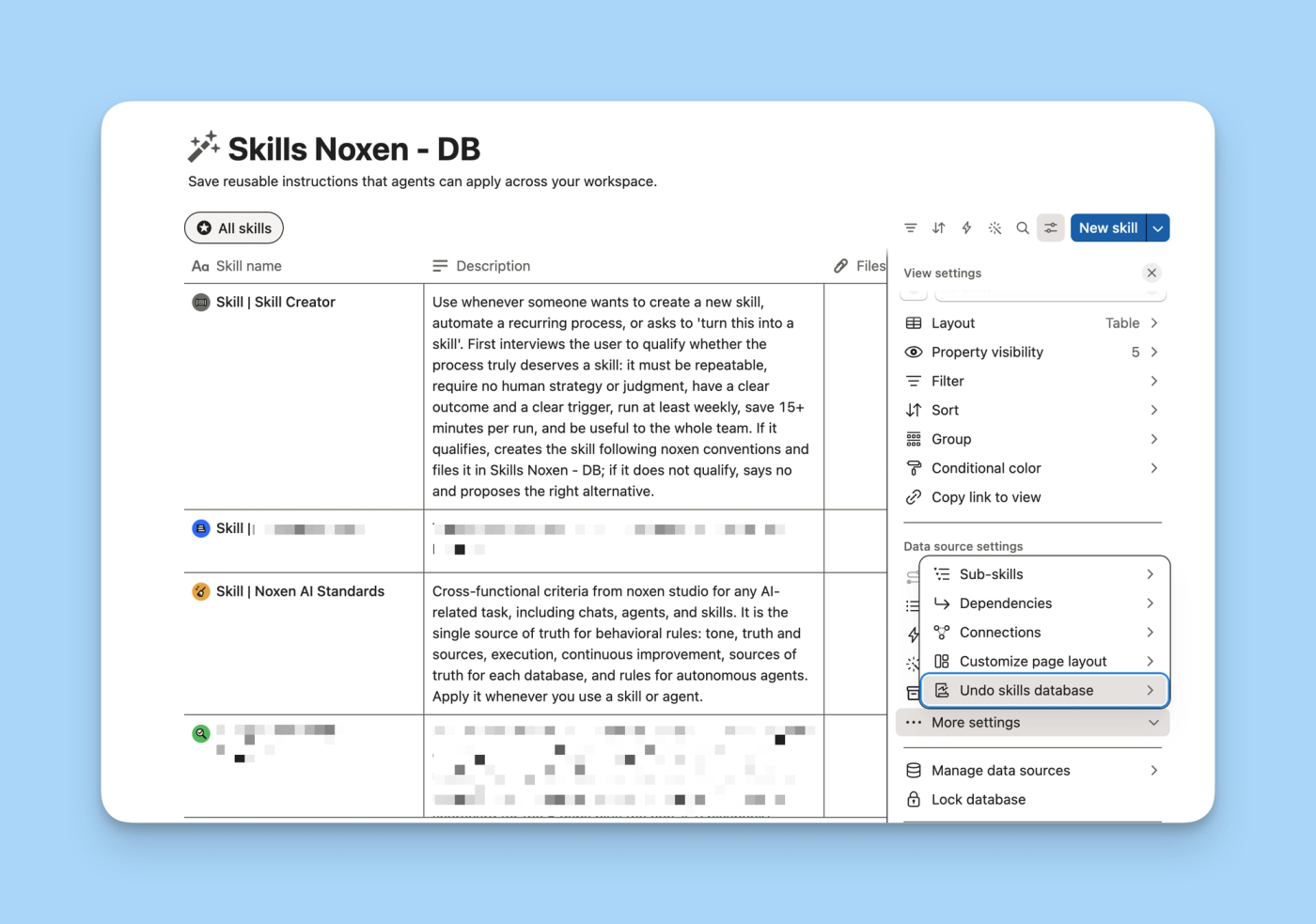
The two Skills we implement with our clients
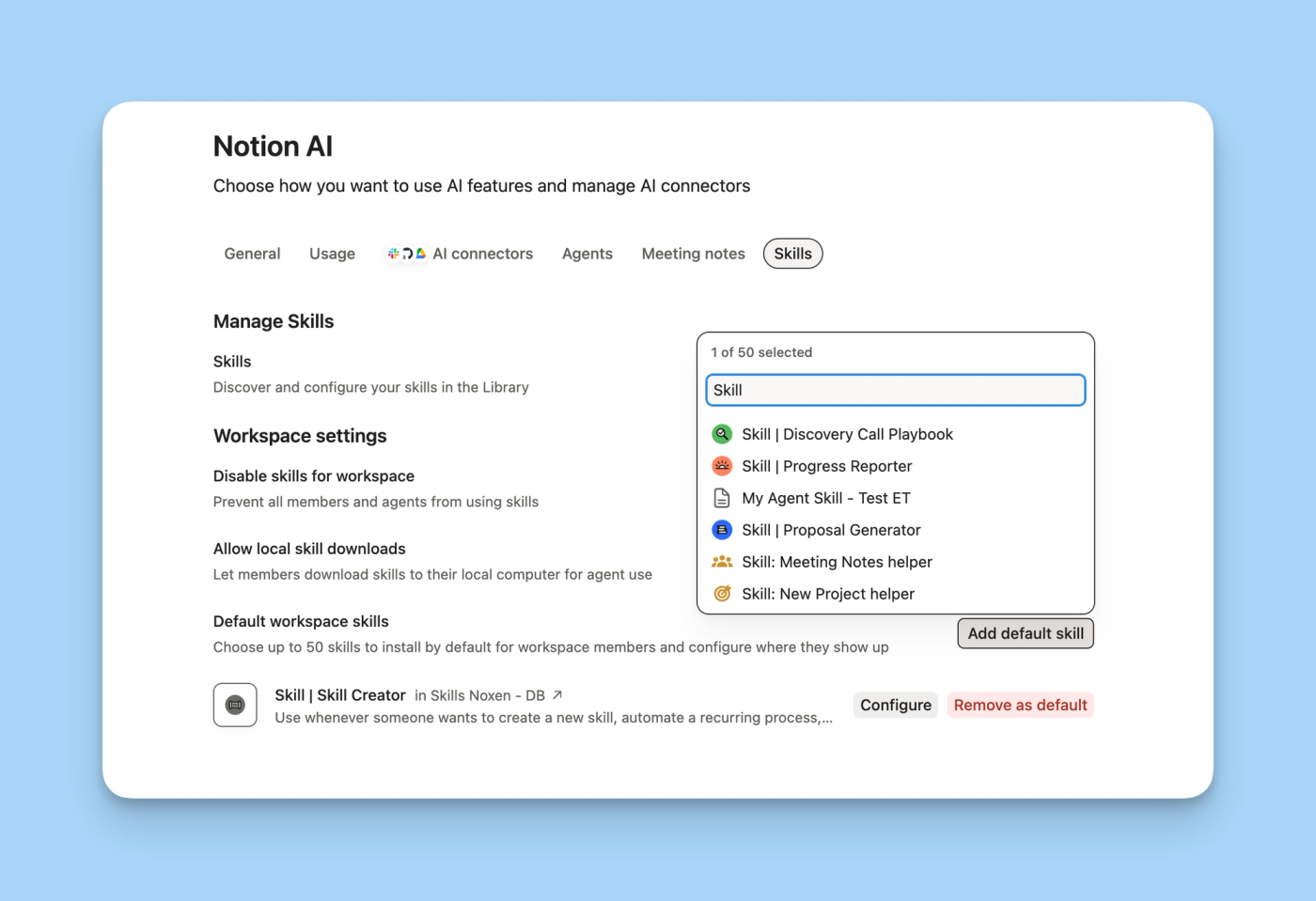
From Settings → Notion AI → Skills you can set default Skills for the workspace. This way, the team shares the same set of instructions without each person having to find and activate pages separately.
At noxen studio there are two Skills we use often: one to set common rules for AI usage, and another to decide when it's worth creating a new Skill.
Define your standards so the AI understands them
The first is called AI Standards. It gathers the rules that both the Notion Agent and Custom Agents should follow when working in our system.
Without common instructions, an agent can create a new page or database instead of using the one that already exists. It can also go on too long, use inconsistent names, or make changes that needed confirmation. We've run into these problems across several client projects.
AI Standards identifies the workspace's sources of truth and explains how the AI should interact with them. It also contains general limits: which actions require confirmation, what information can't be invented, and what the agent should do when it encounters an ambiguous situation.
Since these rules need to be applied consistently, we don't rely only on the Skill activating automatically. We keep a central page as the source of truth, reference it from the Notion Agent's persistent instructions, and add it to the instructions of Custom Agents that need it. We also give those agents access to the page.
Create more consistent Skills
The second is Skill Creator. Its job is to stop the team from creating a Skill for every one-off task and to help build one when the process actually warrants it.
Our filter is deliberately strict. These aren't official Notion requirements but internal noxen studio criteria. The process must be repeatable, require little or no human judgment, have a clear result and trigger, run at least once a week, save a minimum of 15 minutes, and be useful to more than one person.
The process has three phases:
- Filter. The Skill asks a short set of questions. If the process doesn't meet the criteria, it proposes an alternative: run the task directly, document a checklist, or use a Custom Agent.
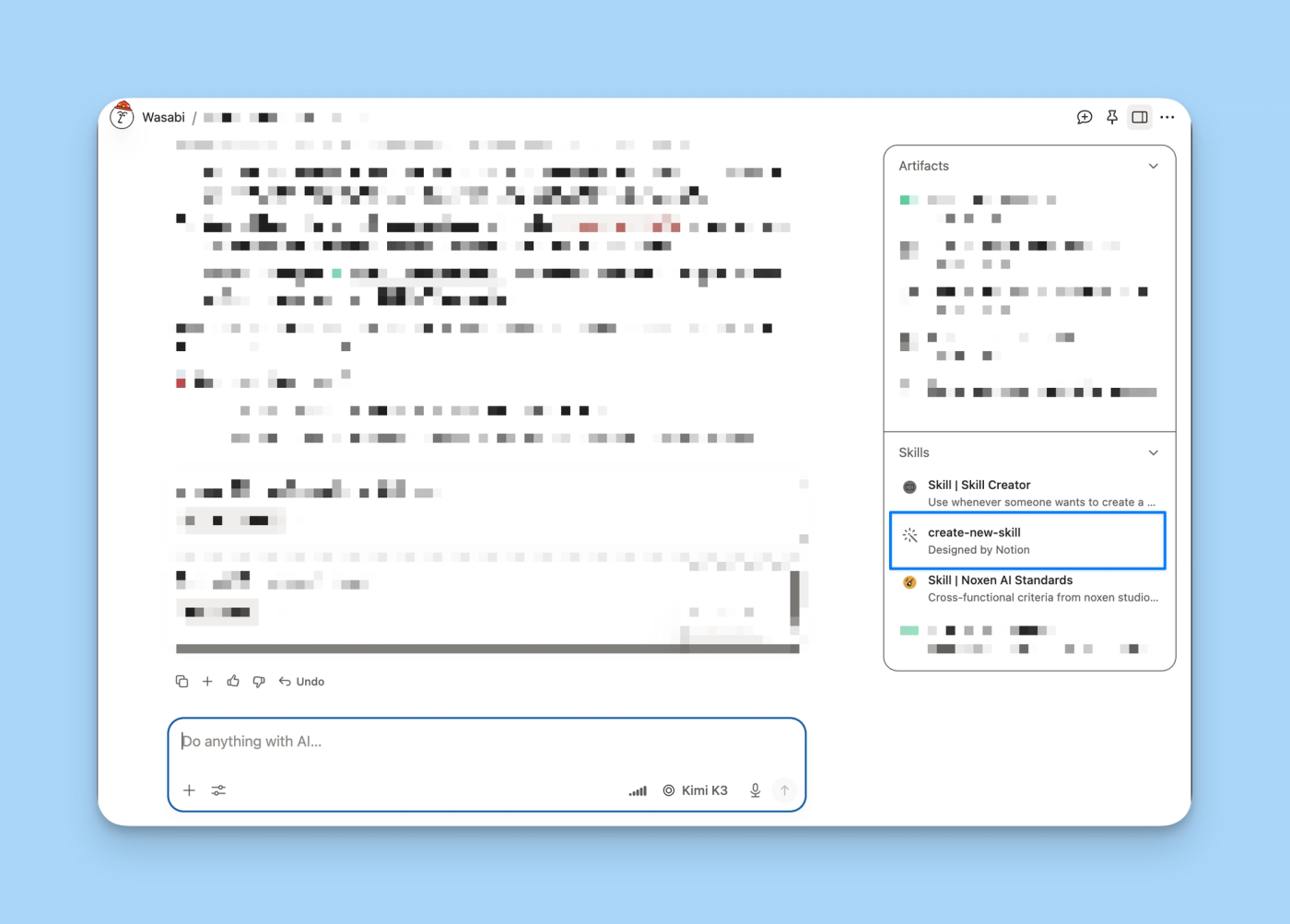
- Build. If it passes the filter, it uses
create-new-skill, the Skill included by Notion for creating Skills. This defines the structure: a short title, a description that helps activate the Skill, and a concise body with instructions, edge cases, and resources. - Validation. Before calling it done, it tests with a real case. Detected failures are used to adjust the instructions and repeat the test.
How to test and improve a Skill
Writing a Skill is just the beginning. It rarely works well for all cases from the first version, so it's worth testing before sharing it with the team.
At noxen we follow a simple process:
- Test it with several real cases and at least one unusual situation.
- Compare the result with the expected format and criteria.
- Record where it needed human correction.
- Change one part of the instructions at a time.
- Repeat the same cases to check whether the change fixed the problem.
The result can be measured with basic data: time saved, number of corrections, format consistency, and percentage of tasks completed. If the process changes, the Skill should change too. It's a good idea to assign a responsible person and a review date.
Frequently asked questions about Notion Skills
What's the difference between a Skill and a Custom Agent?
A Skill contains reusable instructions for a specific task and runs from the Notion Agent. A Custom Agent has its own instructions, permissions, connections, and triggers, and can work autonomously in the background.
Can a Custom Agent use a Skill?
Yes. The Custom Agent must have explicit access to the Skill's page. If its rules need to apply on every run, it's also worth referencing it from the agent's persistent instructions.
How does the Notion Agent use a Skill automatically?
The Skill must be inside a Skills database and have a clear description. The Notion Agent uses the title and description to decide whether it fits the request. Automatic use must also be enabled.
How do you share Skills with a whole team?
You can share the page or database just like any other Notion content. You can also set default Skills from Settings → Notion AI → Skills to make them available across the workspace.
Which processes shouldn't be turned into a Skill?
It usually isn't worth creating a Skill for one-off tasks, processes that change every time, or work that depends on strategy, taste, or human decisions that are hard to turn into rules. In those cases it may be enough to run the task, document a checklist, or use a Custom Agent.
How long should a Skill be?
It should contain only the information the AI needs and can't figure out on its own. If the page starts to grow, move examples, references, and files to separate resources and explain when to consult them.
Does a Skill prevent AI hallucinations?
No. A good Skill reduces variability and limits incorrect decisions, but it doesn't guarantee perfect results. Sensitive tasks still need reliable sources, clear limits, and human review.
How we can help you at noxen studio
Creating a Skill that works isn't just about writing a prompt. You need to pick the right process, locate the information sources, define limits, test real cases, and keep the instructions up to date. Learning all of this through trial and error can consume many hours of the team's time.
At noxen studio we do that work with you. We identify the opportunities, design and validate the Skills, integrate them into your Notion system, and train the people who will use them.
Our goal is for your team to have useful Skills without spending weeks building and fixing them. That way they can focus on serving clients and growing the business. The starting point is to review the team's repetitive processes and pick which ones are worth turning into Skills.
If you'd rather do that review with us, book a discovery call and we'll go through your processes and tell you which ones are worth turning into a Skill.