
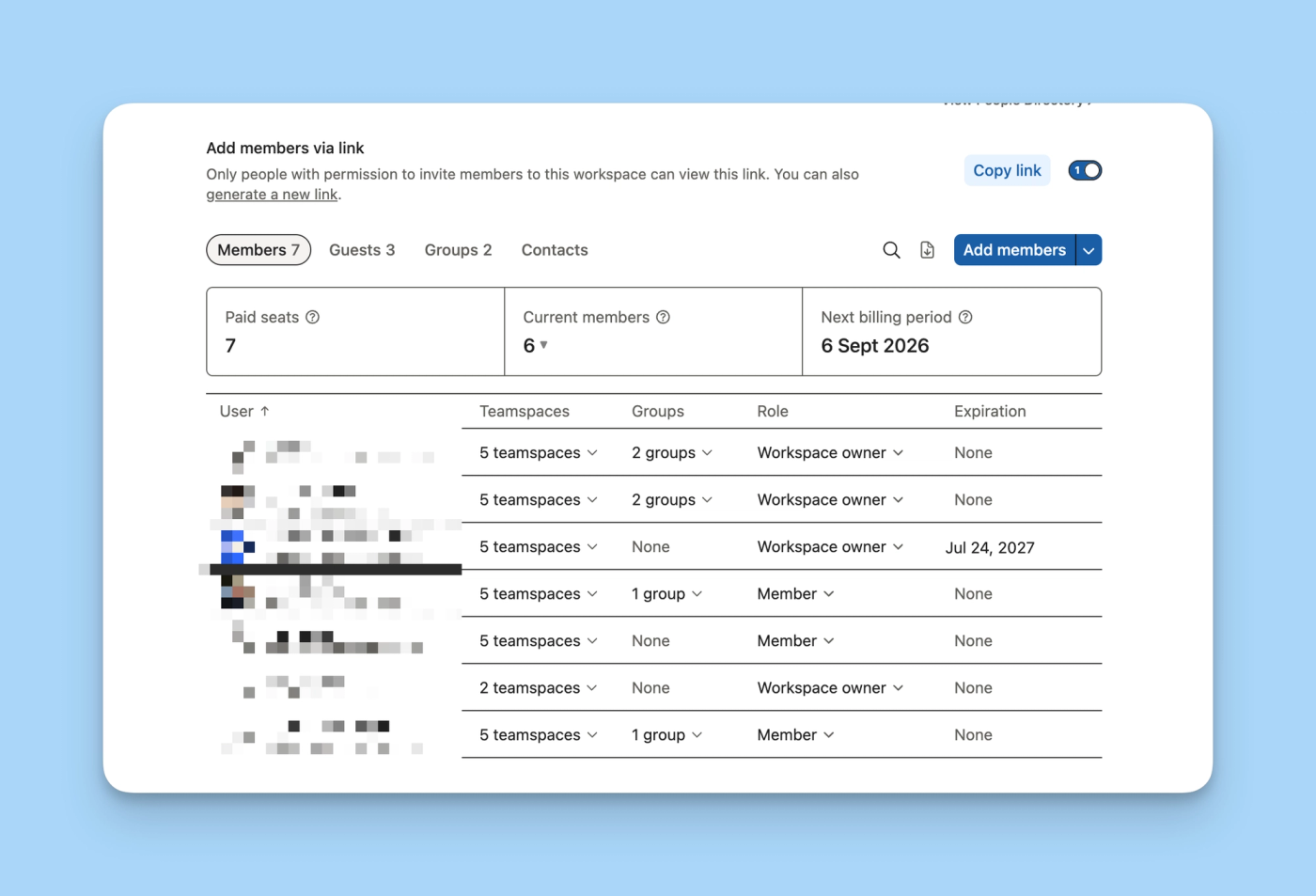
A company can have 23 active members in Notion and still see 33 paid seats. That's what we found on a recent call: the workspace had just renewed its annual plan with 33 members, and the next day the team removed ten people. The member count went down, but the ten seats stayed paid until the next renewal.
The invoice had nearly doubled. To make matters worse, the person listed as workspace owner had left the company months earlier. Nobody was checking the member count, the renewal date, or the billing email.
It might sound absurd, but it fits with Notion's billing rules. Notion charges per member, per workspace, and in advance. Adding a person can create a new paid seat. Removing one doesn't generate an immediate credit.
This article focuses on how the billing works. If you need to compare the features of Free, Plus, Business, and Enterprise, you can read our guide on which Notion plan is best for your company.
The basic formula for Notion pricing
On a paid plan, the base cost is calculated like this:
Plan price per member × number of paid seats
To that amount you can add applicable taxes, prorated charges for seats added during the cycle, and other products purchased, such as credits for specific AI features.
Four rules explain most invoices:
- Notion charges per member. Each member in a paid workspace occupies a seat or license.
- The plan applies to the workspace, not to the personal account. If you have multiple paid workspaces, they are billed separately. The same person can occupy a seat in each one.
- The cycle is paid in advance. It can be monthly or annual.
- Additions and removals are not treated the same way. Additions generate prorated charges. Removals reduce the invoice at the next renewal, not mid-cycle.
That's why the number to watch isn't just how many people use Notion today. You also need to check how many seats are paid, when the cycle ends, and how many members will be in the workspace right before renewal.
Seats, members, and guests: they're not the same thing
Confusion usually starts with these three concepts. They might sound similar, but in Notion they have different implications.
What is a paid seat in Notion?
A seat is a license available for a member. When you add a member to a paid workspace, Notion first uses any free seat that already exists. If there isn't one, it increases the number of paid seats and generates the corresponding charge.
There's no second step to "buy" the license. The act of adding the member can be the billable action.
If you remove that person, the seat stays free until the end of the cycle. You can assign it to someone else without paying again, as long as you don't exceed the total number of seats you already have.
What is a member in Notion?
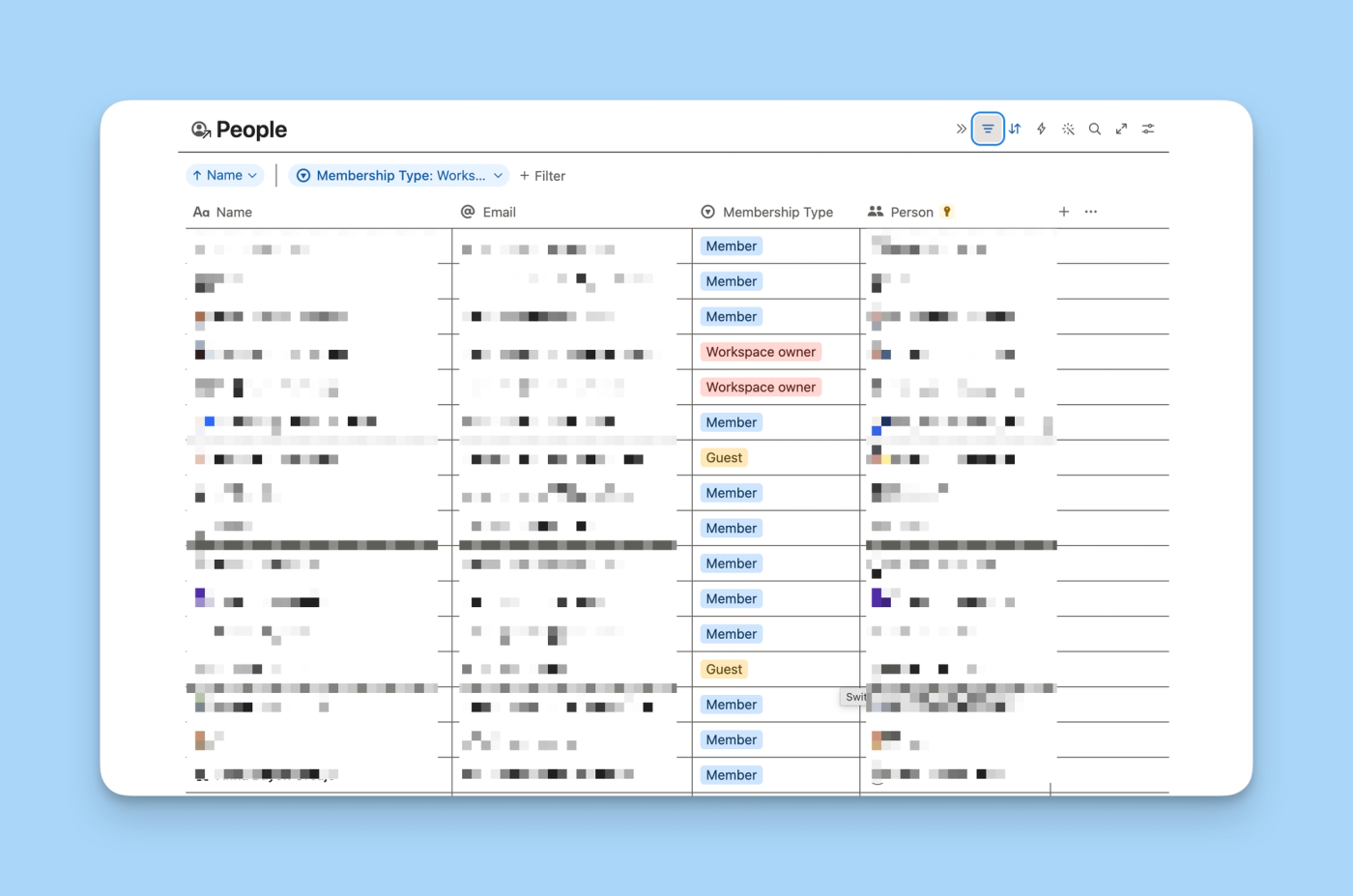
A member is part of the workspace and is usually an internal person in the organization. They can work in teamspaces, access the pages they're given, and collaborate more broadly than a guest.
On paid plans, each member counts toward billing. Restricted members are also billable, even though their access is limited to specific teamspaces and pages.
What is a guest in Notion?
A guest is someone external to the organization who gets access page by page. They don't occupy a paid seat, but they also don't have general access to the workspace.
Guests can't be given access to the entire workspace, join groups, modify billing, or add connections. They work well for clients, vendors, or collaborators who only need to view or edit a specific part of the system.
Using them as a substitute for members across the whole team tends to be cheap on the invoice and expensive in operations. It forces you to manage permissions page by page, limits navigation, and makes it harder to maintain a clear structure.
What happens when you add a member
Adding a member to a paid workspace is a billable action if you don't have a free seat.
On a monthly plan, the next invoice includes the month in advance and the prorated amount for the days that person was in the workspace during the previous cycle.
On an annual plan, Notion reviews new additions each month. The additional invoice includes the cost of the seat for the rest of the contracted year and the retroactive proration from the date the member was added.
Say your annual cycle starts on January 1 and you add someone on April 15. You won't pay another full year from April. Notion calculates the remaining time until the January 1 renewal and adds the days elapsed since the addition up to the next monthly billing date.
What happens when you remove a member
The person loses access as soon as you remove them, but the license doesn't disappear at that moment. Notion doesn't prorate reductions mid-cycle.
The seat stays available until the next renewal. During that time you can fill it with a new hire, a replacement, or anyone else at no extra cost. At the end of the cycle, Notion recounts the active members and adjusts the number of paid seats.
The practical difference depends on whether you've chosen monthly or annual billing:
If you pay monthly
When you add a member without a free seat, Notion charges the proportional amount until the next monthly renewal. If you remove someone, the reduction applies at the start of the next contracted month. In the meantime, the seat stays available and you can reassign it to someone else at no extra cost.
The monthly rate per member is higher, but it lets you adjust spending faster when team size changes.
If you pay annually
When you add a member, Notion charges the proportional amount for the rest of the year and may issue an additional invoice on the next monthly date. If you remove someone, the seat stays paid until the annual cycle ends. You can reuse it, but the invoice won't go down until the next renewal.
The annual rate is lower, and the pricing page indicates savings of up to 20%. In exchange, removals take longer to show up in the cost.
In both cases, additions are prorated and removals only reduce the invoice at renewal.
The example of 33 seats and 23 members
Let's say a workspace renews its annual plan on August 23 with 33 members. On August 24, the team removes ten people.
From that point on, they'll see 23 members and 33 paid seats. The ten free seats can be reused at no cost during the year, but they won't be removed from the already-renewed invoice. If the workspace keeps 23 members until August 23 of the following year, Notion will recalculate the total at that renewal.
If the ten removals had been completed before renewing, the new cycle would have started with the number of members present at that time. A single day can change the cost for the entire year.
Monthly or annual billing: which makes more sense
The annual option has a lower price. The monthly option lets a removal reduce the cost at the next monthly renewal instead of waiting until the following year.
Annual billing usually fits when:
- Notion is already a stable part of operations.
- Team size changes little.
- There's a person responsible for the workspace and a review process before renewal.
- The company can estimate with reasonable accuracy how many members it will need over the next twelve months.
Monthly billing tends to be more prudent when:
- The company is testing Notion or reorganizing the workspace.
- There's turnover, contractors, or frequent team changes.
- Nobody is managing additions, removals, and renewal yet.
- The annual savings don't offset the risk of keeping empty seats for months.
Switching from monthly to annual creates a new cycle and credits the unused part of the month. Switching from annual to monthly takes effect when the current annual cycle ends.
Ownership is also part of the price
The cost doesn't depend only on the published rate. It also depends on who can add members, who reviews invoices, and what happens when someone leaves the company.
Only workspace owners can view and manage the plan and billing. If the only person controlling these settings leaves and nobody changes the role, the company loses visibility right where it needs it most.
These measures prevent most surprises:
Keep at least two active workspace owners
One person can take on operational responsibility and another can act as backup. At least one should know the budget, the renewal date, and the payment method. Review these roles every time the leadership, operations, IT, or finance team changes.
Create a pre-renewal review
Schedule a task 30 to 45 days before the renewal date. The review should compare active members, paid seats, people who are leaving, and planned new hires.
On an annual plan, waiting until the day after renewal can leave a seat empty for twelve months.
Review seats every month
A five-minute monthly check lets you catch guests who became members, accounts of people who no longer work at the company, and duplicate workspaces. It also helps reuse free seats before buying new ones.
Include Notion in the onboarding and offboarding process
Onboarding should decide whether the person will be a member or a guest. Offboarding should remove access, transfer pages and automations, and check whether that person was a workspace owner or billing contact.
Deleting an email account doesn't automatically remove their access or change their responsibilities in Notion.
Define who can invite each type of user
Not everyone on the team needs to convert guests into members. A simple policy can require approval for new licenses and allow guests only when access is external and limited to specific pages.
Document the billing setup
Keep an internal page with the plan, the interval, the renewal date, the expected number of members, the people responsible, and the link to invoices. Add a brief rule for deciding between member, restricted member, and guest.
Avoid duplicate paid workspaces
Each workspace is billed separately. Creating one per department can mean the same person occupies several licenses. In many cases, a single workspace with well-configured teamspaces and permissions is easier to govern.
What to do if an invoice doesn't match what you expected
Reconstruct what happened so you can, if needed, give support all the information they need to help you.
- Go to
Settings → Peopleand note the number of members, paid seats, and the next billing date. - Review the invoice to identify prorated charges, interval changes, or a plan change.
- Remove members added by mistake and record the add and removal dates.
- Check who is listed as workspace owner and what the billing email is.
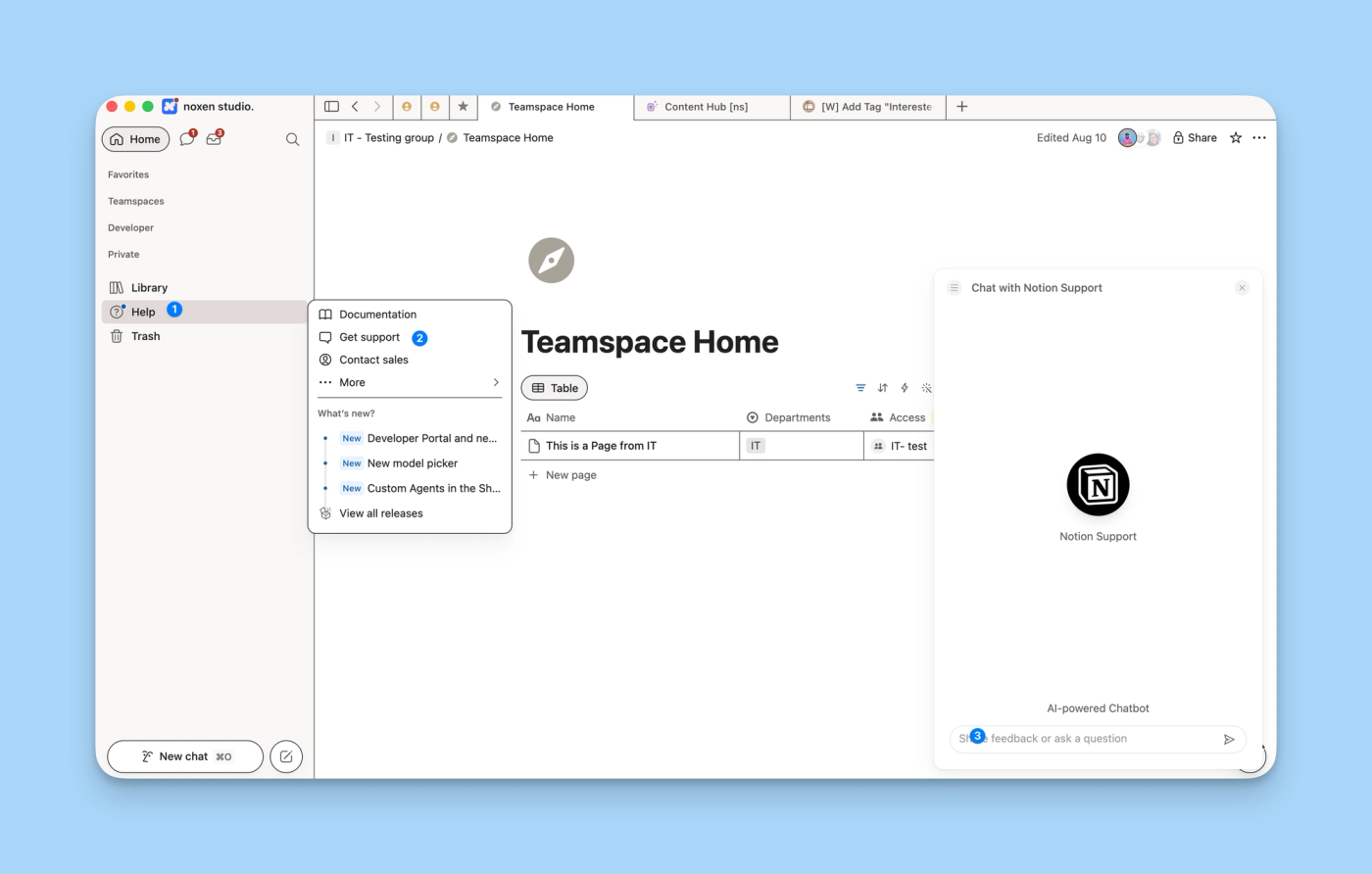
- Contact support from the owner's or billing contact's email. Include the invoice ID, the workspace URL, the dates, the number of members, and the resolution you're requesting.
- If the first automated response doesn't resolve the case, ask for a person on the support team to review it.
The official refund policy states that, in most cases, you can request a refund within three days of a monthly invoice or within 30 days of an annual invoice. For prorated charges from members added accidentally, Notion asks you to contact them within three days of the invoice and remove those members first.
FAQ about Notion pricing
Does adding a member automatically buy a seat?
Yes, if the workspace is on a paid plan and there's no free seat. Notion uses available licenses first. If all are taken, it increases the number of seats and applies the prorated charge.
Does removing a member reduce the invoice immediately?
No. The person loses access, but the seat stays until the end of the cycle. The reduction applies at the next monthly or annual renewal.
Can I replace a person without paying for another seat?
Yes. If you've removed a member and the seat is still paid, you can assign it to someone else at no extra cost as long as you don't exceed the total number of available seats.
Why do I have more paid seats than members?
Usually it means you removed members after starting the cycle. Those licenses stay available until renewal. It can also happen if a recent invoice still reflects additions and removals, so it's worth checking the cycle date and the invoice details.
Are guests free?
Yes. They don't occupy paid seats, though they're subject to the plan's guest limit and can only access the pages they're invited to. They're not an equivalent alternative to a member.
Does a restricted member pay less?
No. A restricted member has more limited access, but affects billing the same as a regular member.
Is the annual plan always the best option because it costs less?
No. The discount pays off when the number of members is stable and there's a control process. If the team changes frequently, several months of empty seats can exceed the annual savings.
What happens if the workspace owner leaves the company?
Another owner needs to change the roles, update the billing contact, and check the renewal. Every workspace has at least one owner, but relying on a single person creates an operational risk. The safest approach is to keep an active owner and a backup.
Can I request a refund for members added by mistake?
You can request it. Notion says it may refund prorated charges if you remove the members and contact them within three days of the invoice. The request must be sent from the workspace owner's or billing contact's email.
You can also request a refund from Support directly from the Notion app.
Do you pay once per person even if they're in multiple workspaces?
No. Each paid workspace is billed separately. If the same person belongs to three paid workspaces, they can occupy a seat in each one.
Which Notion plan should I choose for my company?
That depends on the features, security, and level of administration the team needs. In our guide on which Notion plan is best for your company we compare Free, Plus, Business, and Enterprise. Choosing a plan and choosing between monthly or annual billing are two separate questions.
How can noxen studio help?
When the seat count doesn't add up, the problem usually reveals something broader: uncontrolled additions, outdated roles, or the absence of a person responsible for the system.
At noxen studio we review the workspace structure, permissions, user types, and governance model. The goal is for the company to pay for the licenses it needs and to know who makes each decision before the next renewal.