
With Notion's recent massive pricing overhaul, we've decided to create this comprehensive guide to help you choose the best Notion plan for your business needs.
If you've been following Notion lately, you've probably noticed they've been rolling out several features that are exclusively available on Business or Enterprise plans. Many of these features could be game-changers if your business is experiencing rapid growth and you want to maximize everything Notion has to offer.
In this guide, you'll learn about the difference between members and guests in Notion, explore the various paid plans available, and get our recommendations for making the right choice.
Understanding members vs. guests
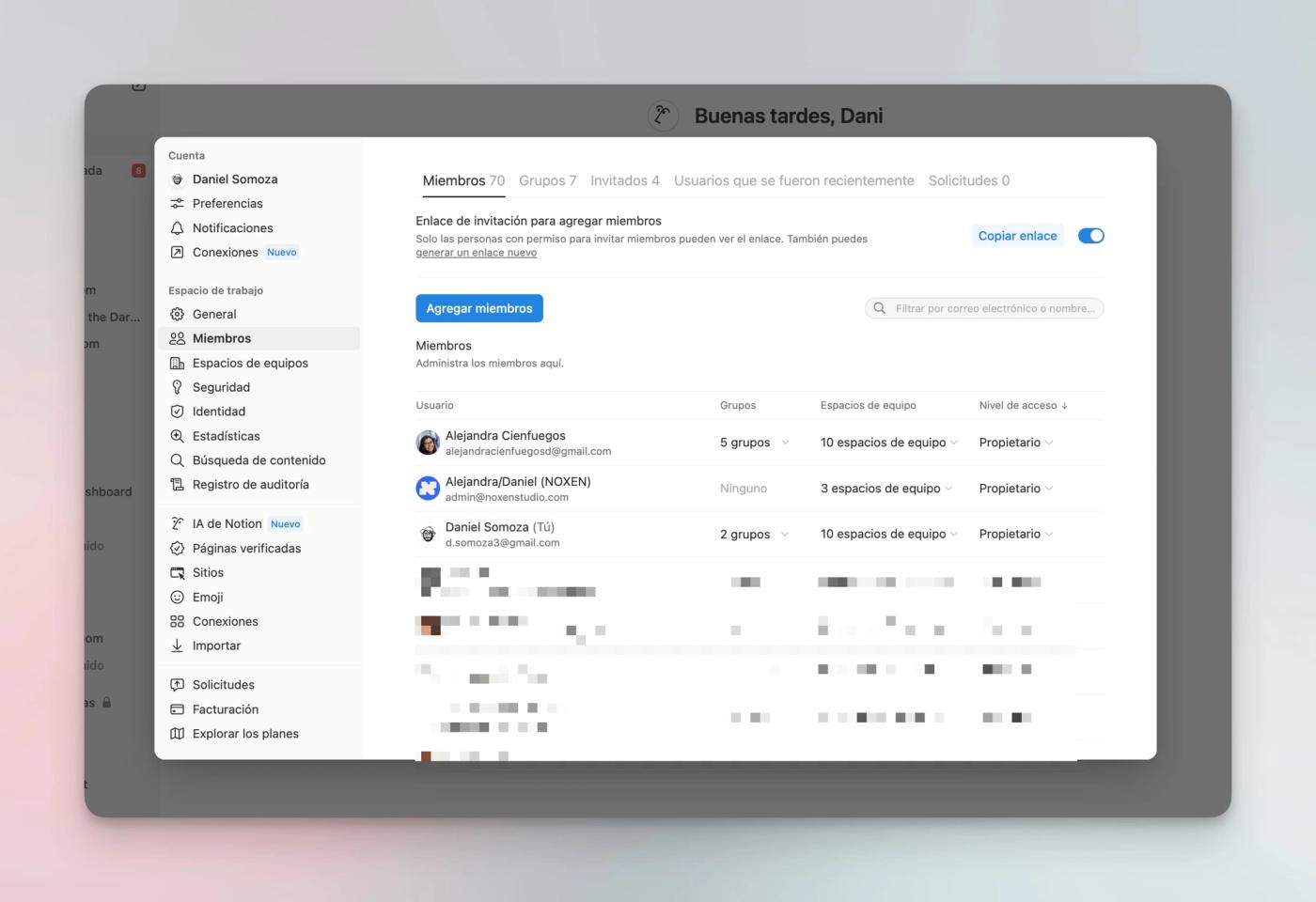
First things first: Notion operates on a per-seat pricing model. Simply put, if you have 3 members in your workspace, you'll pay for 3 seats or licenses.
It's crucial to understand the distinction between members and guests in Notion.
Members are paid users within Notion—those with licenses you're actively paying for. On the other hand, Guests are free (within each plan's limits).
Keep in mind these important guest limitations:
- Cannot be invited to team spaces (must be added page by page)
- Cannot be added to Groups (these are essential for managing permissions in Notion)
- Cannot create automations
If you're just starting with Notion, there's a workaround to use multiple guests while limiting paid seats.
While this approach is more cost-effective, your Notion experience will suffer significantly. You'll need to create a cascading structure from a single page and invite all guests to that page, losing the ability to organize your workspace using the sidebar and team spaces.
We don't recommend this approach, but it's worth knowing it's possible.
Overview of Notion's Plans
Notion offers a free plan and several paid tiers:
- Plus
- Business
- Enterprise
We'll be upfront: trying to run a business on the free plan isn't advisable. At minimum, we'd recommend upgrading to Plus. However, with Notion's recent pricing changes, Business offers the best value if you're planning to use Notion AI.
Notion Plus Plan
Currently, the Plus Plan is the most affordable option at $12/member per month (monthly billing) or $10/member per month (annual billing)—that's a 20% savings with annual billing.
If you're just starting your business, Plus might suffice as long as these limitations aren't deal-breakers for you:
- Cannot create private team spaces (only closed ones)
- No conditional logic in forms
- Page verification unavailable
- Notion AI not included (only available in Business or Enterprise plans), unless you previously purchased the AI add-on.
In our experience, the biggest limitation is the inability to create truly private spaces—ones accessible and visible only to selected members, not your entire workspace. As well as the lack of some important security & privacy
You can create closed spaces (invitation-only), but all members can still see they exist, so avoid suggestive names if privacy is important.
Notion Business Plan
The Business Plan costs $24/member per month (monthly) or $20/member per month (annual).This plan includes private team spaces, conditional logic on forms, page verification, and supports up to 250 guests.
Until August 4th 2026, the Business Plan includes unlimited Notion AI at no extra cost. After that, as with Claude, you'll get a usage allowance. It'll be a generous one, but an allowance nonetheless. Given how central AI is becoming to daily work, the Business Plan is far better value than before, when it didn't include the new Notion AI for work.
For larger teams, additional valuable features include: SAML-based single sign-on (SSO), Member export as CSV, and Verified domains.
Notion Enterprise Plan Features
Enterprise is the most expensive but also the most comprehensive plan if you want Notion as your organizational backbone. You have two types of Enterprise plans, depending on whether you go the Notion Sales route or you want to self-serve.
For self-serving, pricing is around $34/member per month (monthly) or $30/member per month (annual).
If you want more than 40 Enterprise seats, the best option is to talk to Notion directly. At noxen studio, we can help you connect with the right account executive (AE) and walk you through this sale.
The standout features revolve around security, especially crucial for larger enterprises.
For European users, this plan offers EU-based data hosting for GDPR compliance, unavailable in other plans.
Key Enterprise features include:
- Audit Log: Detailed user activity tracking for troubleshooting and accountability
- Content Search: Find any page in the workspace, including private pages (which aren't truly private at the Enterprise level)
- Security Tools: Prevent data export and unauthorized external invitations. You can disable page sharing, guest access, and content export, among other security measures
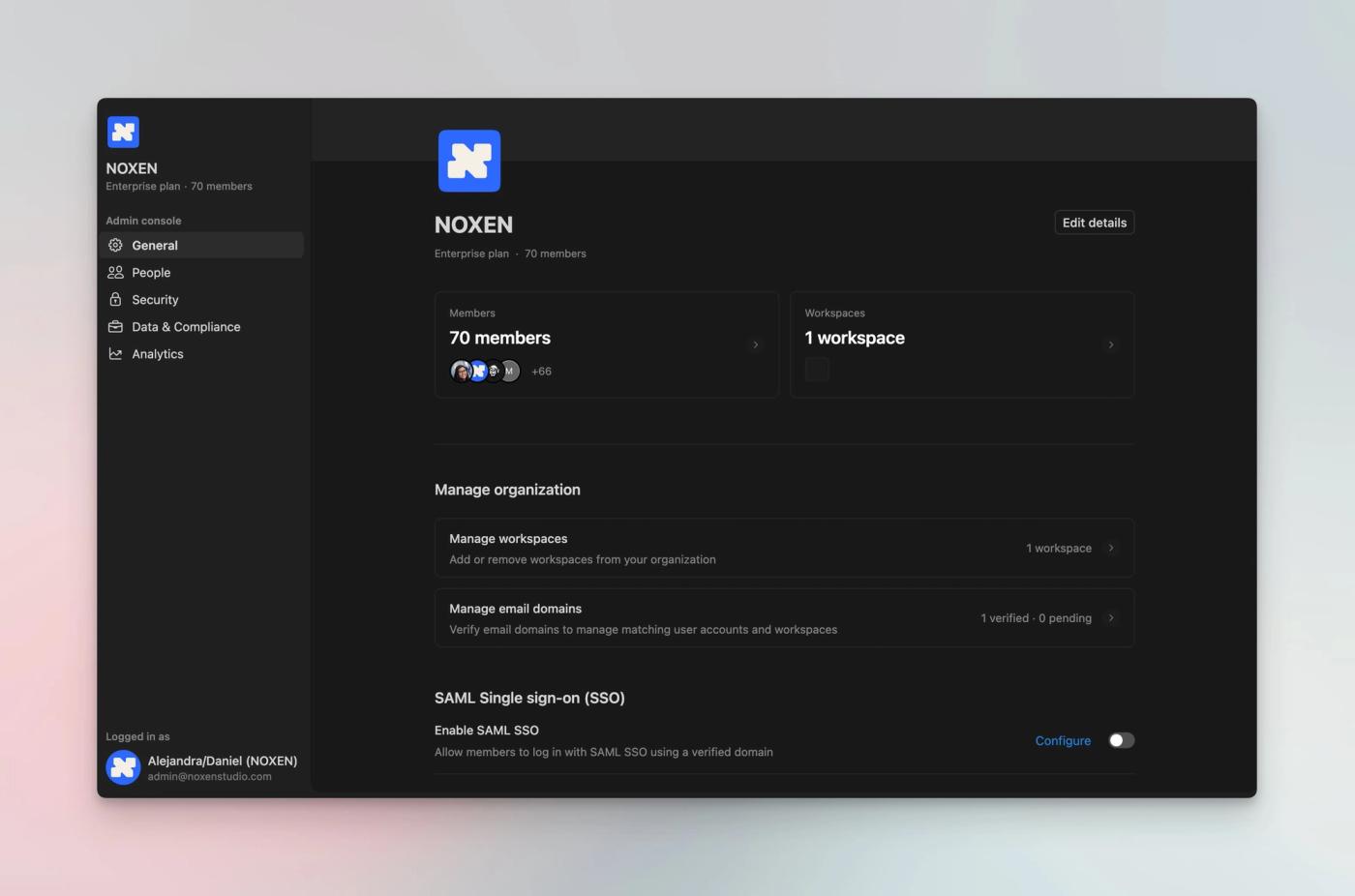
- Organization Management Panel: A new Notion feature providing centralized control over multiple workspaces and member management under one account
This is Notion's most comprehensive plan, offering maximum security for your stored information.
About Notion AI credits
Besides the cost of the seats, Notion has introduced the concept of Notion AI credits for Business and Enterprise plans.
You will use these credits if:
- You want to use Custom Agents
- You want to use Workers (which we strongly recommend)
- Your monthly AI allowance is used up and you want to keep using Notion AI
Some Notion AI credits will be included in your plan (about 300 to 1,000). When they run out, the Workspace Owner can buy more. The current rate is about 1,000 credits for $10 USD.
Choosing the Right Notion Plan
The free plan works well for individuals learning the platform, students, or personal use cases.
Since charts are only available from Plus onwards, we'd recommend starting with a monthly Plus license, especially if you'll initially be the sole workspace user.
Once you're confident Notion will be central to your business operations and plan to scale your team, upgrade to Business or Enterprise. Now that these plans include AI, the upgrade becomes much more worthwhile.
We wouldn't recommend annual billing from the start. Notion's seat-based billing means adding a new user triggers a full-year charge. If you no longer need that seat after 4 months, you've already paid for the entire year.
Consider switching to annual billing only when you're certain Notion will be fundamental to your organization and have a clear sense of your member requirements.
Before making this decision, we recommend thoroughly reviewing the new AI features included in Business and Enterprise plans.
If you're still unsure and need help implementing Notion for your team, feel free to check out our consulting services.
Rolling out Notion in your team
The decision to adopt Notion isn't just a technical one. Rolling it out across your company is also about changing the way you work.
That can be challenging for some teams, which is why a successful rollout needs strong change management and enablement.
At noxen studio, we're more than happy to help you navigate the rollout of Notion and build a system your team will actually use.