
.svg)
When it comes to Notion databases, less is always more


.png)
As part of our Notion Officer service, where we embed ourselves in our clients' workspaces to provide monthly support, we perform database cleanups, system reviews, and general best practices audits.
Although we conduct trainings, workshops, and share best practice guides, we occasionally encounter horror stories 👻 like the following.
The Case of the 12 Event Databases
Imagine this scene:
An "Events" page with 12 different databases, one for each month of the year, all on the same page. (Add to this that they're actually created in a specific user's "Private" section, hence the No access).
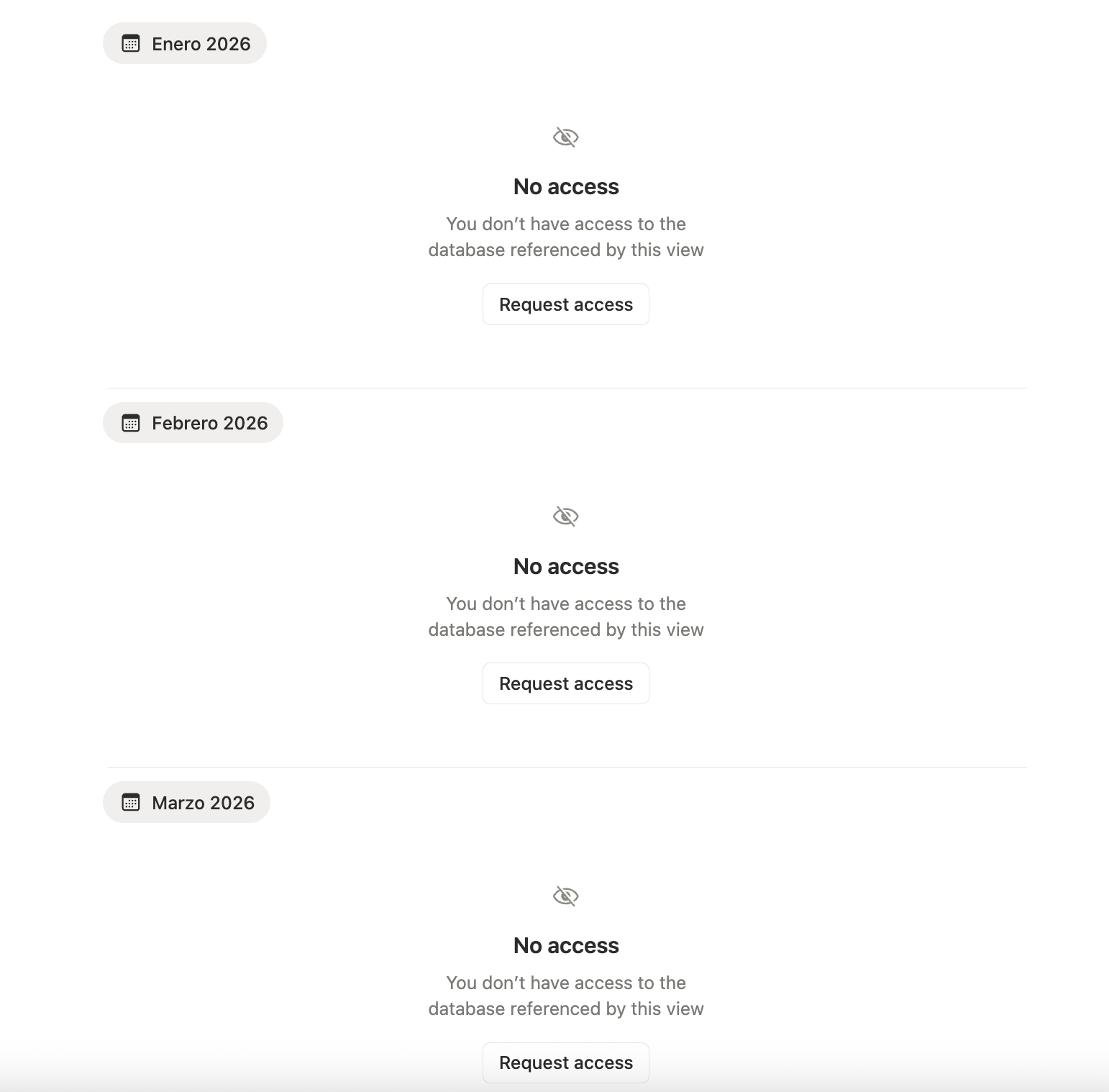
When we see something like this, we don't just treat it as "chaos that needs organizing." We use it as an opportunity to reinforce key concepts and better understand why, in Notion, when we talk about databases, less is almost always more.
Because it's not just about aesthetics or "visual order." Having 12 databases (one per month) instead of a single well-designed database has technical, maintenance, and scalability implications for teams. Although Notion won't "crash" or show errors, the system becomes more fragile and difficult to maintain.
Let's break this down:
1. Performance and Page Loading
Each database is a block in itself, which carries weight within the system: it has its own schema, views, actions, filters, and logic.
- 12 databases = 12 blocks or engines that Notion has to load and recalculate.
- On pages with many databases, initial loading is slower and scrolling feels less fluid, especially on older devices or with slow connections.
With a single well-designed database, Notion can reuse structure and data across multiple views.
With 12 databases that essentially represent the same thing, the system works harder, consuming more resources without providing any real benefit.
2. Scalability: When the System Needs to Grow or Change
This is where "we'll fix it later" becomes a trap. Every time you want to make a structural change:
- Add a field like
Responsible,Event Type, orStatus. - Adjust options in a
selectorstatusproperty. - Modify a formula or filter.
With one database, you do it once. With 12 databases, you do it 12 times.
That's not just more work: it's a minefield for errors and loss of homogeneity.
What could happen: we update one database but the others remain outdated, some have different options... and gradually the data becomes incomparable.
If you also have automations (internal to Notion or external), the problem multiplies and becomes a real issue: Any logic based on triggers like "when an event is created" has to consider 12 different sources. And if you need to make changes, again, you have to make them 12 times.
3. Analysis and Reporting: The Real Nightmare
When data is split across 12 different databases, seeing the entire year ceases to be something simple and becomes a juggling act.
- To answer something as basic as "How many events did we have this year?" you have to mix information from 12 different places.
- Questions like "How many events of each type did we hold this quarter?" require either an extra aggregator database or 12 manual filters and duplicate views.
With a single events database, however:
- You filter by date:
this month,last 90 days,this quarter, etc. - You group by
month,event type,client,status, whatever axis you want. - You build dashboards that always feed from the same master source.
When data is fragmented:
- Date filtering only works within each database.
- There's no truly live global view that gives us annual information.
- Any dashboard becomes a page with separate silos instead of a clean system that can scale at the team and time level—for example, to compare one year with another.
4. Inconsistent Data Over Time
When the model is duplicated, inconsistency isn't a possibility—it's a fact. It's only a matter of time before the system breaks.
Over time, it's common to see things like:
- January has
Event Typewith options A, B, C. - April has A, B, D.
- September has A, C, D and a mysterious "To be reviewed" or "On hold" that no one knows who added.
The result: you can't group or count with confidence, because each month speaks a slightly different language.
5. The Mental Cost for the Team
Beyond the technical aspects, we should never forget the human factor. Having multiple sources of information creates friction, which almost always translates to: people get confused, tired, and simply stop recording information because they don't trust it. And a system where data isn't properly recorded is a system that loses value.
It's also much harder to teach and document:
- It's much simpler to say:
"We have an Events database. Always there. We filter by date."
- Than to explain:
"Each month has its own database. Here's January, here's February... and if you want to see the whole year, you go to this special dashboard that mixes various things."
What About Notion's Limits? Isn't it Better to "Split" to Make it Lighter?
Notion pages support much more than 12 databases. The problem won't be "I'm going to run out of memory." What really affects performance will be the combination of several factors:
- Many databases on the same page.
- Many complex views (filters, groups, formulas) active at once.
- If the views or databases don't have a limit on rows to display, they'll load a lot of information.
That's why, at the system design level, it's usually better to have: A single, well-thought-out and structured database with good views, than many small databases that represent the same thing artificially divided.
In Conclusion: A Single Source of Truth is Almost Always Better
When it comes to Notion databases, less will be more.
Remember to create a single events database, with:
- Clear properties.
- Views (tabs) by month, quarter, event type, status, client, team, etc.
- Well-defined date filters.
It's more:
- Fast to load.
- Easy to maintain.
- Scalable when the system grows.
- Reliable when analyzing and making decisions.
Systems that truly scale are those that have a single source of truth for each type of information. Everything else consists of views, filters, and ways of looking at the same data.
And in Notion, that almost always starts with a simple but powerful decision:
One well-designed database, instead of twelve that tell the same story separately. This is just one of the many best practices we cover in our Notion fast track course.
Until next time!
